How Local AI Can Automate Real-Time Data Monitoring Tasks
A practical guide to using on-device AI for high-volume monitoring operations
Important: Consumer-Grade Hardware Focus
This guide focuses on consumer-grade GPUs and AI setups suitable for individuals and small teams. However, larger organizations with substantial budgets can deploy multi-GPU, TPU, or NPU clusters to run significantly more powerful local AI models that approach or match Claude AI-level intelligence. With enterprise-grade hardware infrastructure, local AI can deliver state-of-the-art performance while maintaining complete data privacy and control.
The Real-Time Monitoring Challenge
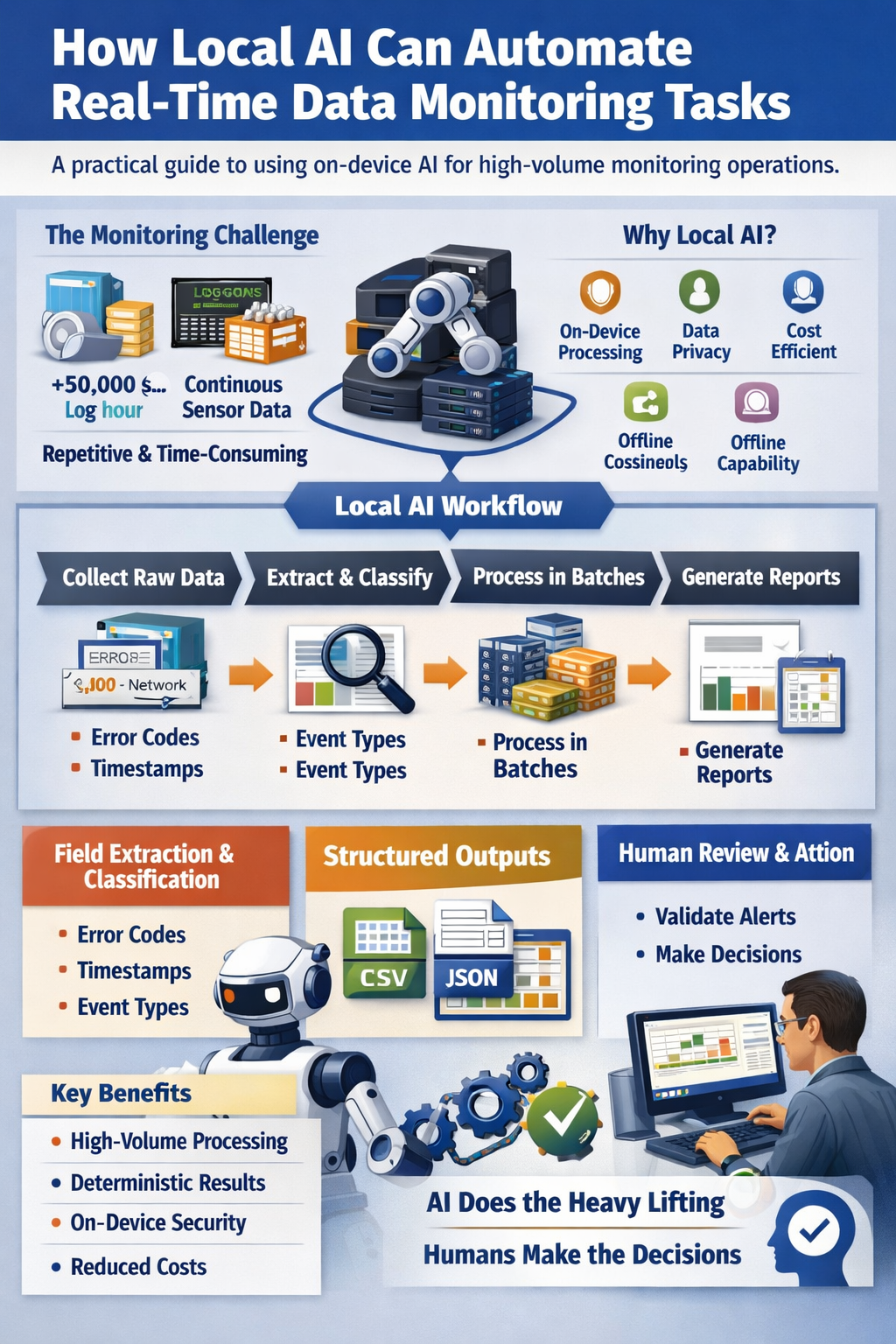
Operations teams face a persistent problem: managing thousands or millions of log entries, sensor readings, and system events every day. A typical enterprise server environment generates 50,000+ log lines per hour. Industrial facilities produce continuous streams of sensor data from hundreds of devices. Financial systems track millions of transaction events across multiple platforms.
The work is repetitive but essential. Someone needs to extract relevant fields, categorize events by type, flag specific error codes, and organize everything into structured reports. When done manually or with basic scripts, this consumes significant time and introduces errors through inconsistent formatting or missed entries.
Teams need a way to process high-volume data streams consistently without sending sensitive operational data to cloud services or building complex custom automation from scratch.
Where AI Is Already Deployed in Real-Time Monitoring
AI has become the default filter for the telemetry flood. Gartner reports that 75% of SOC operational analytics are now driven or heavily augmented by AI platforms (up from roughly 10% in 2020), and the AIOps market is projected to grow from about $2.7 billion in 2026 toward $11.8 billion by 2034. Where is it deployed?
- Log analysis and anomaly detection: Dynatrace's Davis AI, Datadog, New Relic, Splunk's ITSI, and Grafana ML digest massive log streams to cluster patterns and flag statistical anomalies automatically.
- Security monitoring (SIEM): Darktrace, Vectra AI, and Microsoft Sentinel use behavioral AI to detect lateral movement and prioritize threats—Darktrace reports mean-time-to-detect reductions of 50-92% versus legacy signatures, and Sentinel processes over 78 trillion signals daily.
- Alert triage: Enterprise SIEMs routinely generate 100,000+ alerts a day for teams of 5-10 analysts; AI triage cuts false-positive rates from 40-65% down to 5-15% and drops Tier-1 triage volume by 70-90%.
- Industrial IoT monitoring: Predictive-maintenance models over sensor streams form the fastest-growing slice of the AI-in-IoT market, projected to grow from about $60.7 billion in 2025 to $199 billion by 2031.
- Breach-cost impact: IBM finds organizations with extensive AI automation in monitoring and security cut average breach costs by $2.22 million and shorten the breach lifecycle by 108 days.
But the cloud observability stack has a hard floor: air-gapped industrial networks, SCIFs, and millisecond-critical lines can't wait for a round-trip or ship their logs out at all.
Why This Task Is Static
Real-time monitoring tasks follow predictable, rule-based patterns. The logic is deterministic:
- Extract timestamp, source IP, error code, and status from each log entry
- Classify events as "authentication," "network," "database," or "application"
- Sort entries by severity level based on predefined codes
- Count occurrences of specific event types within time windows
- Generate structured summaries showing error rates and system uptime
These actions require consistency and volume handling, not reasoning or judgment. The rules don't change based on context. A "404" error is always a "404" error. A temperature reading above 85°C always gets tagged as "high-temp." The work is mechanical, not interpretive.
Why Local AI Is a Good Fit
Local AI models (GGUF-format models running on-device) excel at exactly this type of work. Monitoring is the one discipline where AI's latency matters as much as its accuracy, and the constraints that matter most are:
- Air-gapped industrial networks and SCIFs: Power grids, water systems, and defense networks prohibit external API calls entirely. Vendors like LogZilla bridge this with on-premise LLMs—local AI is the only option where the data physically cannot leave.
- Millisecond latency: Cloud AI round-trips add 200-800ms of network and inference time—a missed safety cutoff on a live line or a dropped trade. Local models answer in milliseconds on the same network as the data.
- Data volume and bandwidth: Streaming raw, un-aggregated logs and sensor metrics to a cloud backend incurs punishing egress and ingestion fees—and every log entry also carries per-token inference cost. Local processing filters at the source for the fixed cost of the hardware.
- Sensitive logs and proprietary code: Compliance frameworks routinely prohibit sending source-code traces, regulated logs, or proprietary IP strings to multi-tenant cloud engines. On-device inference keeps them inside your perimeter.
- Deterministic triage: When given clear instructions, local AI extracts fields, applies classifications, and formats outputs the same way every time—an inspectable rule set rather than a probabilistic black box.
What Local AI Actually Does
Within real-time monitoring workflows, local AI performs specific mechanical actions:
- Reading and organizing: Ingesting raw log files, event streams, or sensor data feeds and structuring them for processing
- Field extraction: Pulling timestamps, identifiers, error codes, metrics, source systems, and status indicators from unstructured or semi-structured data
- Classification: Categorizing events by predefined types (authentication, network, database, application) or severity levels (info, warning, error, critical)
- Sorting and tagging: Organizing entries by source, time period, or priority for review and archival
- Extractive summarization: Listing key metrics such as error counts, uptime percentages, most frequent event types, and system status overviews
- Format conversion: Generating CSV files, JSON outputs, or structured reports for dashboards and compliance documentation
Local AI assists the process but does not replace professional monitoring judgment or operational decisions.
Step-by-Step Workflow
Here's how operations teams can apply local AI to real-time monitoring tasks:
Step 1: Collect raw data
Gather log files, event streams, or sensor data from your monitoring systems. This might be hourly log dumps, real-time event feeds, or batch exports from industrial control systems.
Step 2: Prepare data for processing
Organize files by time period or source system. Remove any corrupted entries or formatting issues that would prevent consistent processing.
Step 3: Define extraction rules
Specify which fields to extract (timestamp, source, error code, metric value) and what classifications to apply (event type, severity level, system component).
Step 4: Run batch processing
Feed data through your local AI model with clear instructions for extraction, classification, and formatting. Process in batches sized appropriately for your hardware (typically 1,000-10,000 entries per batch).
Step 5: Generate structured outputs
Produce CSV files for spreadsheet analysis, JSON for dashboard integration, or formatted reports showing error rates, uptime metrics, and event distributions.
Step 6: Review and validate
Operations staff review the structured outputs, focusing on flagged items or unusual patterns. The AI handles volume; humans handle interpretation.
Step 7: Archive and document
Store processed data according to retention policies. Use generated summaries for compliance documentation or trend analysis.
Realistic Example
A mid-sized financial services company runs 200 application servers generating approximately 120,000 log entries per hour. Their operations team previously spent 3-4 hours daily extracting relevant fields, categorizing events, and preparing summary reports for management review.
They implemented a local AI workflow using a 7B parameter model running on a dedicated monitoring workstation:
- Processes 120,000 log entries per hour in 15-minute batches
- Extracts timestamp, server ID, event type, error code, and response time from each entry
- Classifies events into 12 predefined categories (authentication, API calls, database queries, etc.)
- Generates hourly CSV files with structured data and daily summary reports showing error rates by category
- Reduces manual processing time from 3-4 hours to 30 minutes of review and validation
The team still reviews all critical errors and makes all operational decisions. The AI simply handles the mechanical work of extraction, classification, and formatting that previously consumed most of their time.
Limits and When NOT to Use Local AI
Local AI is not appropriate for monitoring tasks that require:
Incident response or remediation: Deciding whether to restart a service, roll back a deployment, or escalate to senior staff requires operational judgment that local AI cannot provide.
Anomaly interpretation: While AI can flag events that match predefined patterns, determining whether an unusual pattern represents a real threat or a false positive requires human expertise.
Predictive analytics: Forecasting future failures, capacity planning, or trend prediction involve complex analysis beyond the scope of deterministic monitoring tasks.
Strategic decisions: Choosing which systems to upgrade, how to allocate resources, or whether to change monitoring thresholds requires business context and professional judgment.
High-stakes real-time alerts: Critical systems requiring immediate human response (safety systems, emergency services, financial trading) should not rely on AI for decision-making.
Use local AI for the mechanical, high-volume work. Keep humans responsible for interpretation, decisions, and actions.
Key Takeaways
- Local AI effectively automates static, high-volume real-time monitoring tasks like log processing, field extraction, event classification, and report generation
- It reduces time spent on repetitive work and improves consistency while keeping sensitive operational data on-device
- Local AI handles mechanical processing; human operators handle interpretation, decisions, and incident response
- Best suited for deterministic tasks with clear rules and predictable patterns, not for anomaly interpretation or strategic decisions
- Cost-effective for high-volume scenarios where cloud API costs would be prohibitive
- The Millisecond Edge: Cloud AI's 200-800ms round-trip is a missed safety cutoff on a live line; local inference answers in milliseconds where latency decides—and keeps the logs on the network that owns them.
Next Steps
If your team handles high-volume log processing, sensor data streams, or event monitoring, consider evaluating local AI for specific mechanical tasks:
- Identify repetitive extraction or classification work that consumes significant staff time
- Start with a small pilot processing one day's worth of logs or events
- Measure time savings and accuracy compared to current manual or scripted processes
- Gradually expand to additional data sources or monitoring systems
Local AI won't replace your operations team's expertise, but it can free them from mechanical work to focus on the interpretation and decision-making that actually requires human judgment.