Customer Support Operations: Automating the Mundane with Local AI
💡 Important: Consumer-Grade Hardware Focus
This guide focuses on consumer-grade GPUs and AI setups suitable for individuals and small teams. However, larger organizations with substantial budgets can deploy multi-GPU, TPU, or NPU clusters to run significantly more powerful local AI models that approach or match Claude AI-level intelligence. With enterprise-grade hardware infrastructure, local AI can deliver state-of-the-art performance while maintaining complete data privacy and control.
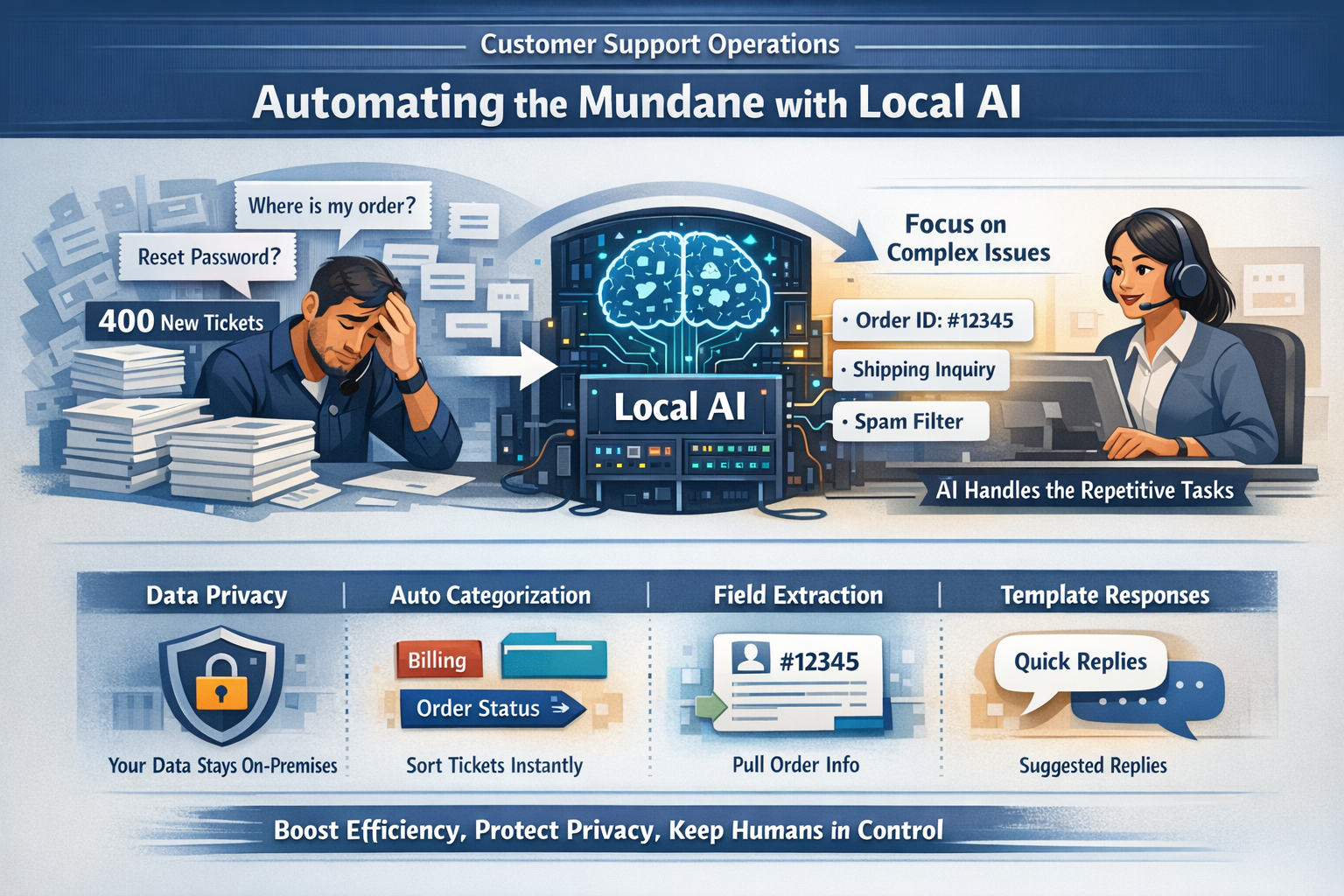
For customer support teams, the sheer volume of incoming requests can be overwhelming. Managers and agents alike know the fatigue of answering the same question for the fiftieth time in a day, or manually tagging hundreds of tickets just to get a sense of what's happening.
This article explains how local AI—artificial intelligence running on your own hardware, not in the cloud—can help support teams automate these static, high-volume tasks. We will look at exactly what local AI can do, how it protects customer privacy, and why it is a tool for efficiency, not a replacement for your human agents. Cloud AI has already made chatbots, triage, and sentiment scoring mainstream; this guide focuses on the local, on-device layer that keeps customer data private and support costs predictable.
Where AI Is Already Deployed in Customer Support
AI in customer service has moved from pilot projects to core infrastructure. Salesforce's State of Service research found that 66% of customer service organizations were running AI agents in 2026—up from 39% the year before—while Gartner reports 91% of service leaders are under executive pressure to deploy AI. The question is no longer whether to use AI, but where.
The most common deployments today:
- Conversational chatbots and virtual agents: LLM-powered assistants (Intercom Fin, Zendesk Advanced AI, Salesforce Agentforce, Ada, Sierra) hold multi-turn conversations, pull answers from knowledge bases, and resolve routine requests like order status or password resets. Real-world deflection is more modest than the marketing suggests—Zendesk's enterprise median for tier-1 deflection is around 41%, with the top quartile near 59%.
- Ticket triage and routing: Cloud AI classifies intent, scores sentiment, detects language, and routes tickets to the right queue in milliseconds—automating the manual sorting that used to consume hours.
- Agent assist / co-pilots: Microsoft Copilot and Google's contact-center AI summarize long threads into three-bullet briefs, surface knowledge-base articles, and draft replies in the brand's voice, cutting average handling time by an estimated 25-50% in mature deployments.
- Voice and IVR automation: Conversational voice bots replace "press 1 for sales" menus, handling authentication and simple requests over the phone.
- Knowledge-base search and email triage: RAG-based search answers questions straight from help-center docs, while AI email engines split multi-part requests into separate tickets with draft replies.
The Problem: The Burden of Repetitive Volume
The core challenge in many support operations isn't the difficulty of the questions, but the volume. For teams that haven't adopted triage automation—or that hit cloud cost or privacy walls—the morning still looks like this.
Imagine a Monday morning at a mid-sized e-commerce helpdesk. There are 400 new tickets.
- 150 of them are "Where is my order?"
- 50 are "I need to reset my password."
- 100 are spam or auto-replies.
- The remaining 100 are genuine, complex issues requiring human empathy and problem-solving.
Currently, human agents often have to open, read, and manually categorize every single one of those 400 tickets before they can even get to the 100 that actually need their skills. This "triage fatigue" leads to burnout, slower response times for critical issues, and increased error rates.
Why These Tasks Are Static
The tasks mentioned above—classifying a ticket as "Order Status" vs. "Returns," or extracting an Order ID from a subject line—are static.
They are predictable and deterministic.
- Rule-based: If the email contains "track my package," it is an "Shipping Inquiry."
- Repeatable: The logic doesn't change from customer to customer.
- No Judgment Required: Determining if a ticket is about a password reset does not require empathy, negotiation, or creative thinking.
Because these tasks rely on pattern recognition rather than reasoning, they are perfect candidates for automation.
Why Local AI Is a Good Fit for Support
Cloud AI vendors have already automated the easy parts. The reason to add a local layer isn't capability—it's what cloud deployment costs you:
- Privacy and compliance: Every transcript sent to a cloud API is data you no longer fully control. Support desks handling payment details, health information, or GDPR-covered customer data often can't send conversations off-network at all. Local AI keeps the entire pipeline inside your infrastructure.
- Per-resolution pricing at volume: Vendors bill per resolution, per token, or per action—Intercom's Fin is priced around $0.99 per resolution, Agentforce around $0.10 per action. At thousands of tickets a day, that compounds. Local AI runs on hardware you already own, for electricity.
- Latency, reliability, and offline work: Stores, warehouses, government offices, and regions with poor connectivity can't depend on an external API. Local models batch-process overnight and run offline.
- Auditability: Regulated teams need to show how customer data was processed. Local processing keeps inputs, prompts, and outputs on-network, where they can be logged and reviewed.
In return you get a right-sized tool: a 3-8B GGUF model (Llama 3, Mistral, or Phi-3) on a 16-32GB server handles classification, extraction, and summarization with accuracy comparable to cloud triage tools (typically 85-95% on structured tickets)—with fixed cost, no per-seat fees, and easy integration into Zendesk, Freshdesk, or custom helpdesks via CSV, webhooks, or APIs.
What Local AI Actually Does
Local AI is strictly a mechanical processor in this context. It does not "think" or "care" about the customer; it simply manipulates text based on patterns.
In a support workflow, allowed local AI actions include:
- Ticket / Chat Handling: Reading raw text from emails or chat logs and cleaning it (removing HTML tags, normalizing whitespace) for processing.
- Field Extraction: Automatically pulling out structured data like Order IDs, SKU numbers, dates, or email addresses from unstructured message bodies.
- Classification & Sorting: Tagging tickets by topic (e.g., "Billing," "Technical," "General"), urgency (e.g., "High," "Low"), or sentiment (e.g., "Frustrated," "Neutral") to route them to the right queue.
- Template-Based Responses: Suggesting a standard pre-written response snippet based on the classified intent (e.g., suggesting the "Refund Policy" snippet if the intent is "Refund Request").
- Summarization: Creating a bulleted summary of a long chat thread so an agent can quickly get up to speed before taking over.
Crucially: Local AI assists the process but does not replace professional customer support judgment or human decision-making.
Workflow: How to Implement Local AI in Support
Here is a practical, step-by-step workflow for integrating local AI into a support stack:
1. Ingestion: Your system fetches the latest batch of unassigned tickets from your helpdesk (e.g., via API export or CSV).
2. Sanitization: A script removes unnecessary headers and formats the text.
3. Classification Pass: A small, fast local model (like Phi-3-mini or similar) scans each ticket and assigns a category tag (e.g., Category: Shipping).
4. Extraction Pass: The model identifies and extracts specific entities, such as Order ID: #12345 or Customer_Email: user@example.com.
5. Routing: A simple script moves the ticket to the appropriate queue based on the tags. "Shipping" goes to the Logistics Team; "Technical" goes to Tier 2 Support.
6. Agent Assist: When an agent opens a ticket, they see a private note populated by the AI:
- Summary: "Customer asking for refund on order #12345 due to delay."
- Suggested Template: "Apology for Delay + Refund Process"
7. Human Action: The agent reviews the suggestion, edits it for tone and specific context, and sends the reply. The human remains the final authority.
Realistic Example: The "Monday Morning" Triage
Consider "TechGear Solutions," a mid-sized electronics retailer.
- Volume: They receive 1,000 tickets every weekend.
- Old Process: Three agents spent 4 hours each on Monday morning just reading subject lines and assigning tickets to queues. That's 12 man-hours lost to sorting.
- New Process with Local AI:
- A script runs at 8:00 AM on a local server with a GPU.
- It processes all 1,000 tickets in about 20 minutes.
- It successfully categorizes 900 of them with high confidence.
- It flags 100 as "Ambiguous" for human review.
- It extracts Order IDs for 850 tickets and pre-loads the customer's order status from the database into the ticket sidebar.
- Result: When agents log in at 9:00 AM, the "Returns" queue is already populated, and they can start solving problems immediately. The 12 hours of manual sorting are reduced to zero.
Limits: When NOT to Use Local AI
While powerful, local AI is not a universal fix. It inherently lacks understanding of context, nuance, and human emotion.
Do NOT use local AI for:
- Complex Troubleshooting: If a customer has a unique technical issue that isn't in the manual, the AI cannot "figure it out." It will hallucinate or provide generic, unhelpful advice.
- Escalations & Conflict: Determining if a customer is roughly "upset" is fine, but deciding how to de-escalate a furious client requires human empathy and negotiation skills.
- Personalized Advice: AI should not be recommending products or financial choices based on a customer's life story.
- Automated Sending: Never let the AI send emails directly to customers without human review. The risk of a nonsensical or insensitive reply is too high.
Key Takeaways
- Efficiency: Local AI excels at the crucial but boring "janitorial" work of support: sorting, tagging, and extracting data.
- Privacy First: Running models locally ensures that sensitive customer conversations and PII never leave your secure infrastructure.
- Human-in-the-Loop: The goal is to free up your human agents to handle the complex, high-value interactions that actually build customer loyalty, not to replace them.
- Cloud First, Local for Control: Vendors have already commoditized chatbot deflection, triage, and sentiment scoring—local AI is the layer that keeps data on-network, fixes cost at scale, and keeps working offline.
By deploying local AI for these specific, static tasks, support teams can lower costs, reduce agent burnout, and improve response times—all while keeping data safe and control firmly in human hands.
Next Steps
Identify high-volume, repetitive tasks in your support operations:
- Are agents spending hours manually categorizing tickets?
- Do you need to extract order IDs or customer information from unstructured emails?
- Are you routing tickets based on keywords that could be automated?
- Do you want to provide agents with suggested responses to speed up reply times?
These are ideal candidates for local AI automation. Start with a pilot project processing 100-200 tickets to test accuracy and workflow integration before scaling to full production volumes.
For detailed implementation guides and model recommendations for customer support tasks, explore our technical documentation on local AI deployment in support environments.